



Handling daily IT system and application requests for laptops and desktops is a critical responsibility of IT support teams. This includes ensuring laptop readiness for new hires, managing device replacements, and maintaining smooth access to business applications for employees.
What is Day-to-Day IT System and Application Support?

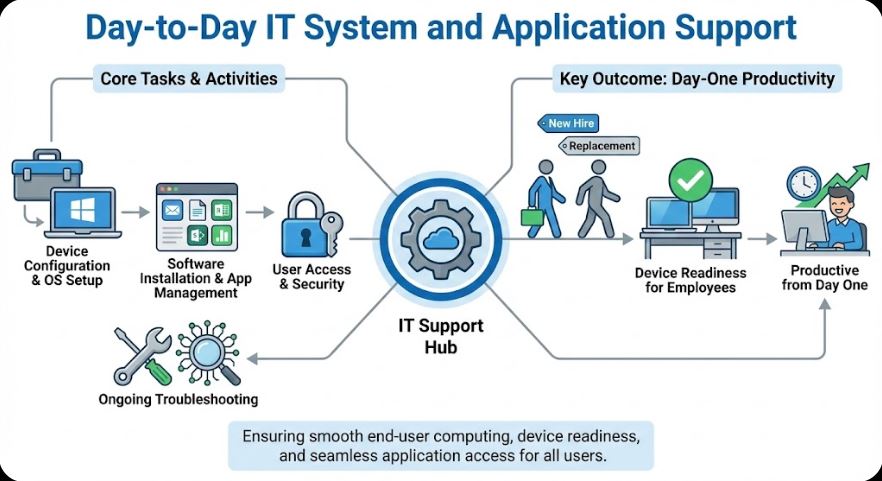
Day-to-day IT system and application support involves managing, configuring, and maintaining end-user computing devices, such as laptops and desktops. This covers hardware readiness, operating system setup, software installation, user access configuration, and ongoing troubleshooting.
A key component of this role is ensuring devices are fully prepared for new employees and replacements, allowing users to be productive from day one.
Why is This Role Important?


- Enables Employee Productivity
Ready-to-use devices minimize onboarding delays. - Ensures Business Continuity
Quick replacements reduce downtime caused by hardware failures. - Maintains IT Standards
Devices are configured according to company security and compliance policies. - Improves User Satisfaction
Fast and reliable support builds trust in IT services. - Supports Organizational Growth
Efficient onboarding helps scale teams smoothly.
How Are Laptop and Desktop Requests Handled?
Typical Workflow
- Request Submission
Users or HR raise requests via ticketing systems for new devices or replacements. - Asset Verification
IT checks inventory availability and asset assignment. - Device Preparation (Laptop Readiness)
- OS installation and updates
- Device encryption
- Antivirus and endpoint security setup
- Application & Access Configuration
- Email and productivity tools
- Business applications
- VPN and network access
- User Handover & Documentation
Device is issued to the user with usage guidelines and asset tagging.

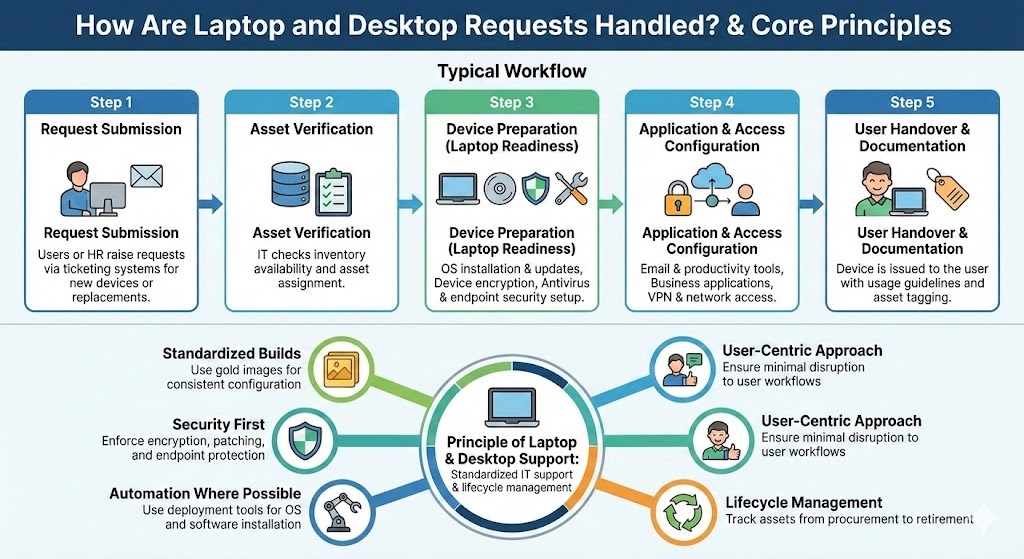
Principle of Laptop & Desktop Support
This function follows standardized IT support and lifecycle management principles.
Core Principles
- Standardized Builds
Use gold images for consistent configuration. - Security First
Enforce encryption, patching, and endpoint protection. - Automation Where Possible
Use deployment tools for OS and software installation. - User-Centric Approach
Ensure minimal disruption to user workflows. - Lifecycle Management
Track assets from procurement to retirement.
Real-World Use Cases
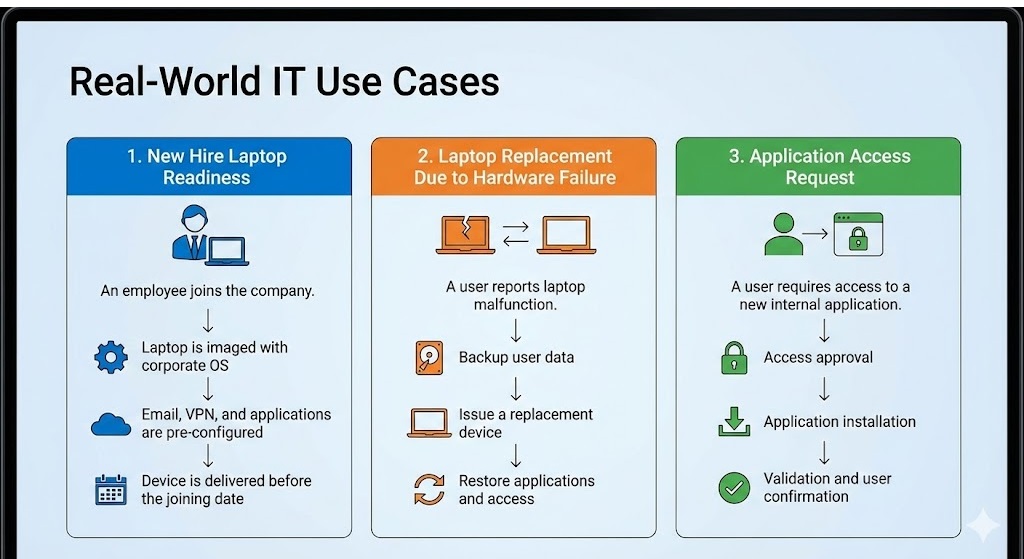
1. New Hire Laptop Readiness
An employee joins the company.
- Laptop is imaged with corporate OS
- Email, VPN, and applications are pre-configured
- Device is delivered before the joining date
2. Laptop Replacement Due to Hardware Failure
A user reports laptop malfunction.
- Backup user data
- Issue a replacement device
- Restore applications and access
3. Application Access Request
A user requires access to a new internal application.
- Access approval
- Application installation
- Validation and user confirmation
Pros of Effective Day-to-Day IT Support
- Faster onboarding
- Reduced downtime
- Consistent device configurations
- Improved IT asset visibility
- Higher user satisfaction
- Strong security compliance
Cons and Challenges
- High volume of repetitive requests
- Inventory management complexity
- Dependency on approvals
- Time-sensitive onboarding demands
- Requires coordination with HR and vendors
Best Practices
- Maintain updated device inventory
- Use automated imaging tools
- Prepare laptops in advance for new hires
- Maintain application installation checklists
- Document standard operating procedures
- Monitor asset lifecycle and replacements