


Front-line support is the first point of contact for internal users when they face technical issues with IT systems, applications, or services. It plays a critical role in ensuring business continuity, productivity, and user satisfaction.
What is Front-Line IT Support?
Front-line IT support refers to the initial level of technical assistance provided to internal users within an organization. It involves handling day-to-day IT issues, managing support requests, and resolving common problems related to hardware, software, networks, and enterprise applications.


In addition to incident resolution, front-line support teams often assist with project-related tasks, such as system rollouts, upgrades, migrations, and user onboarding.
Why is Front-Line Support Important?

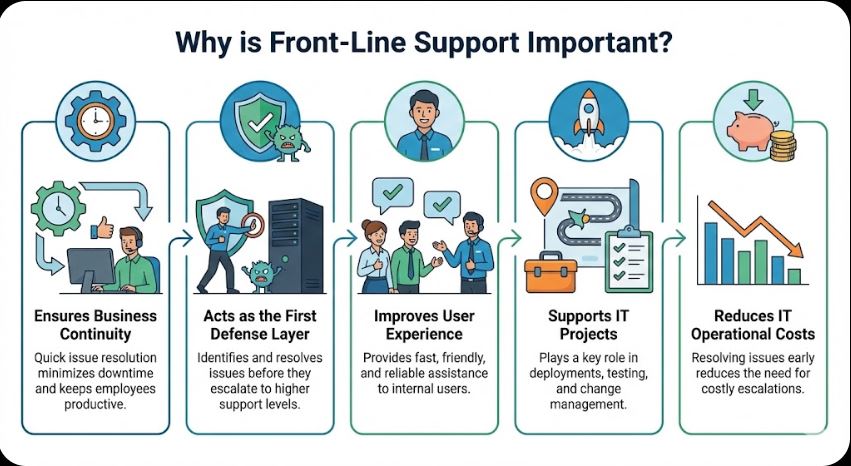
- Ensures Business Continuity
Quick issue resolution minimizes downtime and keeps employees productive. - Acts as the First Defense Layer
Identifies and resolves issues before they escalate to higher support levels. - Improves User Experience
Provides fast, friendly, and reliable assistance to internal users. - Supports IT Projects
Plays a key role in deployments, testing, and change management. - Reduces IT Operational Costs
Resolving issues early reduces the need for costly escalations.
How Does Front-Line Support Work?
Step-by-Step Workflow
- Issue Reporting
Users raise requests via ticketing systems, email, chat, or phone. - Ticket Logging & Categorization
Requests are logged, categorized, and prioritized based on impact and urgency. - Initial Diagnosis
The support team identifies the root cause using troubleshooting methods. - Resolution or Escalation
- Resolved at first contact, or
- Escalated to Level 2/3 teams if required.
- User Communication & Closure
Users are informed of resolution steps, and tickets are closed with documentation.


Principle of Front-Line IT Support
Front-line support is based on efficiency, standardization, and user-centric service.
Core Principles
- First Contact Resolution (FCR)
Aim to resolve issues during the first interaction. - ITIL-Based Incident Management
Follow structured incident and request handling processes. - Clear Communication
Use simple, non-technical language with end users. - Documentation & Knowledge Sharing
Maintain knowledge bases and resolution guides. - Continuous Improvement
Analyze recurring issues to improve systems and processes.
Real-World Use Cases

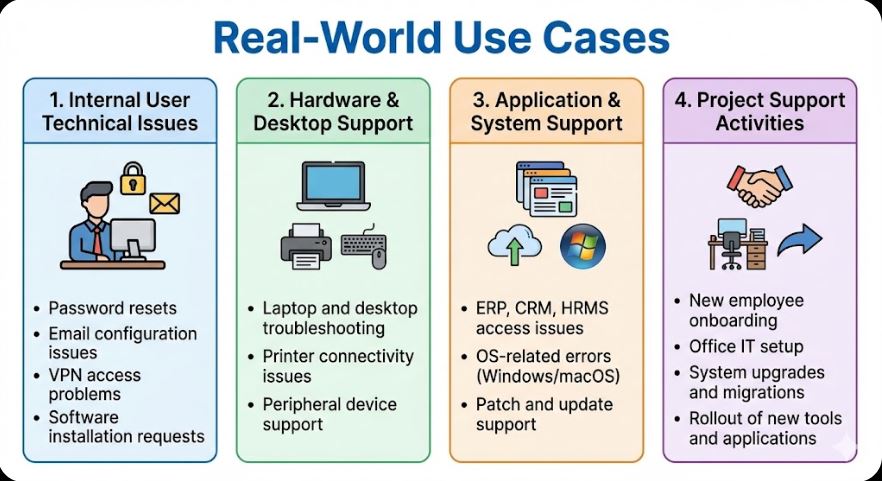
1. Internal User Technical Issues
- Password resets
- Email configuration issues
- VPN access problems
- Software installation requests
2. Hardware & Desktop Support
- Laptop and desktop troubleshooting
- Printer connectivity issues
- Peripheral device support
3. Application & System Support
- ERP, CRM, HRMS access issues
- OS-related errors (Windows/macOS)
- Patch and update support
4. Project Support Activities
- New employee onboarding
- Office IT setup
- System upgrades and migrations
- Rollout of new tools and applications
Pros of Front-Line Support
- Faster issue resolution
- Reduced system downtime
- Improved internal user satisfaction
- Efficient workload distribution
- Better visibility into IT issues
- Strong foundation for IT operations
Cons of Front-Line Support
- High ticket volumes can cause burnout
- Limited access to advanced system changes
- Dependency on escalation teams
- Requires strong communication skills
- Can be reactive rather than proactive
Best Practices for Effective Front-Line Support

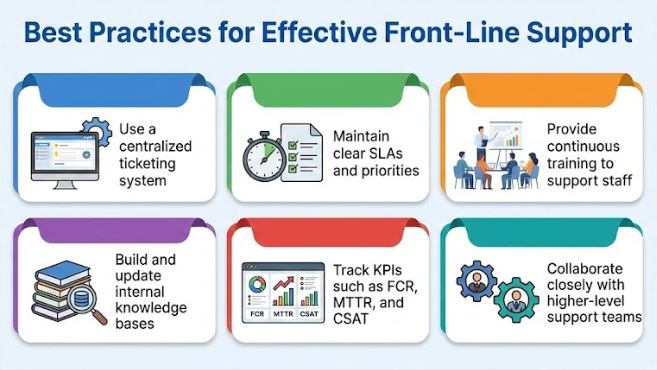
- Use a centralized ticketing system
- Maintain clear SLAs and priorities
- Provide continuous training to support staff
- Build and update internal knowledge bases
- Track KPIs such as FCR, MTTR, and CSAT
- Collaborate closely with higher-level support teams