


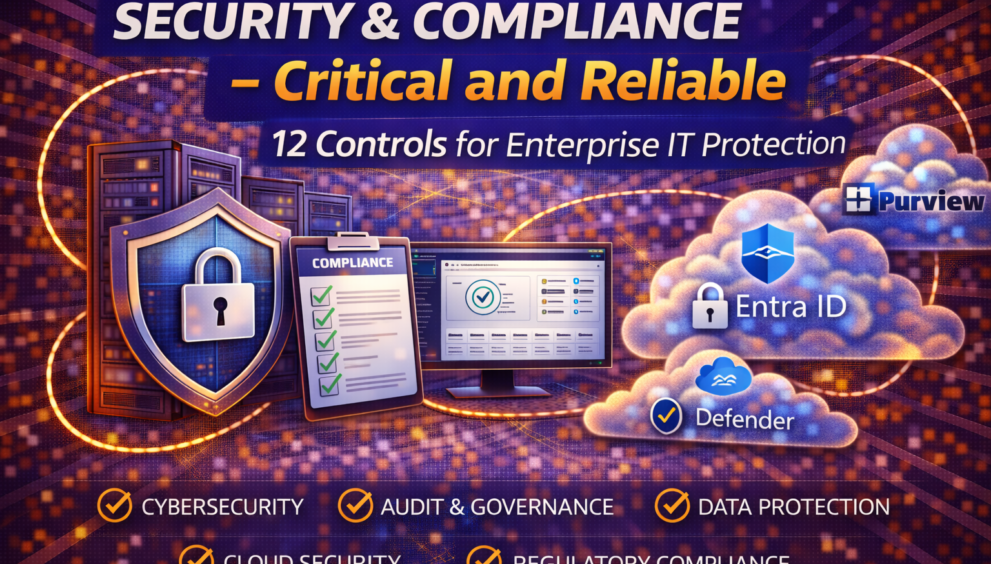
Security & Compliance – Critical and Reliable 12 Controls for Enterprise IT Protection

What is Security & Compliance
Security & Compliance in IT refers to the policies, controls, tools, and processes used to protect organizational systems, data, and users while ensuring adherence to regulatory, legal, and industry standards.
It covers:
- Information security
- Identity and access management
- Data protection
- Regulatory compliance
- Risk management
- Audit readiness
Security focuses on protecting assets, while compliance ensures those protections meet required standards.
Why is Security & Compliance Important
Security & Compliance are vital for enterprises because:
- Cyber threats are increasing in complexity
- Data breaches lead to financial and reputational loss
- Regulatory fines can be severe
- Remote and hybrid work expands attack surfaces
- Customer trust depends on data protection
- Strong security and compliance practices ensure:
- Trust with customers and partners
- Business continuity
- Legal and regulatory adherence
- Reduced operational risk
How Security & Compliance Works
Security & Compliance operate through multiple layers:
- Preventive Controls – MFA, firewalls, access policies
- Detective Controls – SIEM, log monitoring, alerts
- Corrective Controls – Incident response, remediation
- Governance Controls – Policies, audits, documentation
These layers work together to identify risks, prevent breaches, detect incidents, and ensure compliance.
Principle of Security & Compliance
Core principles include:
- Least Privilege – Users get minimum required access
- Defense in Depth – Multiple security layers
- Zero Trust – Never trust, always verify
- Confidentiality, Integrity, Availability (CIA)
- Continuous Monitoring
- Auditability and Accountability
Configuration Steps
Typical enterprise configuration steps include:
- Define security and compliance policies
- Implement identity protection (MFA, RBAC)
- Configure endpoint security (Defender, EDR)
- Enable logging and monitoring (SIEM/SOC)
- Configure data protection (DLP, encryption)
- Apply compliance policies (ISO, GDPR, SOC)
- Schedule regular vulnerability scans
- Document controls and evidence for audits
Security & Compliance in Hybrid Environment
In hybrid environments, security must cover on-prem and cloud equally.
Hybrid Security Components:
- On-prem Active Directory + Azure AD
- VPN / Secure connectivity
- Endpoint security across office and remote devices
- Cloud security posture management
- Unified logging and monitoring
Challenges include identity synchronization, policy consistency, and visibility across environments.
Real-World Use Case
Scenario:
A healthcare organization handles sensitive patient data.
Security & Compliance Setup:
- MFA for all users
- Data encryption at rest and in transit
- Role-based access control
- Audit logging for all data access
- Compliance with HIPAA and ISO 27001
Outcome:
Improved security posture, audit readiness, and reduced breach risk.
Daily Basis Issues Faced by IT Teams
- MFA failures or user lockouts
- Suspicious login alerts
- Endpoint malware detections
- Patch compliance failures
- Data access violations
- Expired certificates
- Audit evidence gaps
Real Troubleshooting Scenarios (Step-by-Step)
Scenario 1: Suspicious Login Alert
- Review sign-in logs
- Identify IP and location
- Force password reset
- Revoke active sessions
- Enable conditional access block
Scenario 2: Compliance Audit Finding
- Review audit report
- Identify missing control
- Implement required policy
- Collect evidence
- Update compliance documentation
SLA Handling & Escalation Process
SLA Impact Explanation
| Priority | Incident Type | Response Time | Resolution Time | Escalation |
|---|---|---|---|---|
| P1 | Active security breach | 15 min | 4 hrs | L3 + Security Team |
| P2 | Policy violation | 30 min | 8 hrs | L2 → L3 |
| P3 | Security alert | 4 hrs | 24 hrs | L2 |
| P4 | Compliance request | 24 hrs | Planned | L1 |
Escalation ensures rapid containment and regulatory adherence.
Interview Questions & Answers
Beginner Level
Q1. What is IT security?
Protecting systems, networks, and data from threats.
Q2. What is compliance?
Meeting legal and regulatory IT requirements.
Intermediate Level
Q3. What is Zero Trust?
A model where no user or device is trusted by default.
Q4. Difference between encryption and hashing?
Encryption is reversible; hashing is one-way.
Advanced / Scenario-Based
Q5. How would you respond to a data breach?
- Isolate affected systems
- Analyze logs
- Notify stakeholders
- Remediate vulnerabilities
- Report as per regulations
Q6. How do SLAs impact security incidents?
They define response urgency, escalation paths, and resolution targets.
Pros
- Strong risk reduction
- Regulatory compliance
- Improved data protection
- Increased customer trust
- Better incident response
Cons
- Requires skilled resources
- Increased operational cost
- Policy management complexity
- Continuous monitoring needed