




DNS Record


What is a DNS Record?
A DNS (Domain Name System) record is a database entry stored on a DNS server that provides information about a domain and its associated services, such as websites, email servers, and security policies.
DNS records translate human-readable domain names (like toolxpress.in) into machine-readable IP addresses, allowing browsers, email systems, and applications to locate the correct servers.
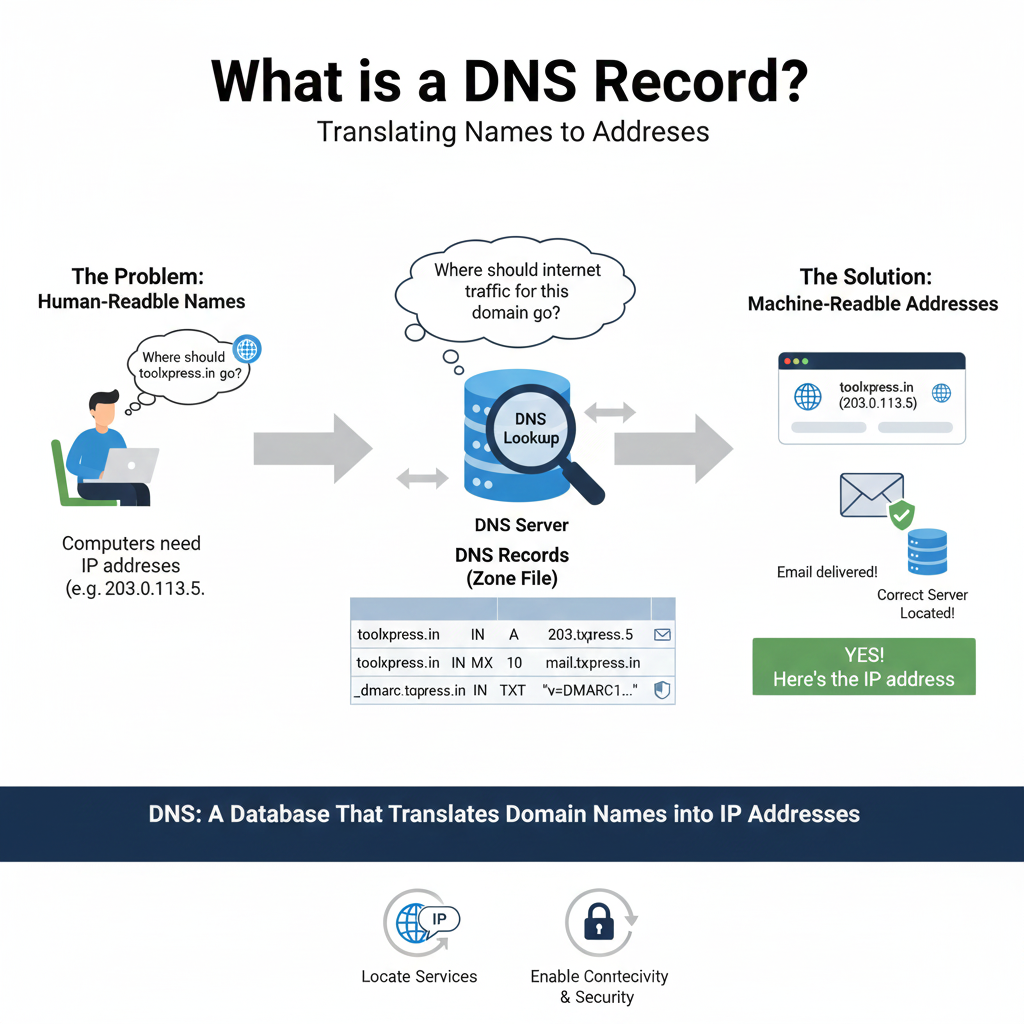
In simple terms, DNS records answer the question:
“Where should internet traffic for this domain go?”
Why are DNS Records Important?
DNS records are the backbone of internet communication. Without them, websites would not load, emails would not be delivered, and online services would fail to function.

Key Reasons to Use DNS Records:
- Enable website and application access
- Route email traffic correctly
- Support email authentication (SPF, DKIM, DMARC)
- Improve performance and reliability
- Enable security and redundancy
- Allow global accessibility of services
How Do DNS Records Work?
When a user enters a domain name in a browser or sends an email:
- The system queries a DNS resolver
- The resolver checks authoritative DNS servers
- The appropriate DNS record is retrieved
- The client connects to the destination server

This entire process happens in milliseconds.
Principle of DNS Records (Working Principle)
DNS operates on a distributed, hierarchical lookup model.
Core Principles:
- DNS is decentralized and globally distributed
- Records are cached to improve performance
- Each record serves a specific purpose
- TTL (Time to Live) controls caching duration
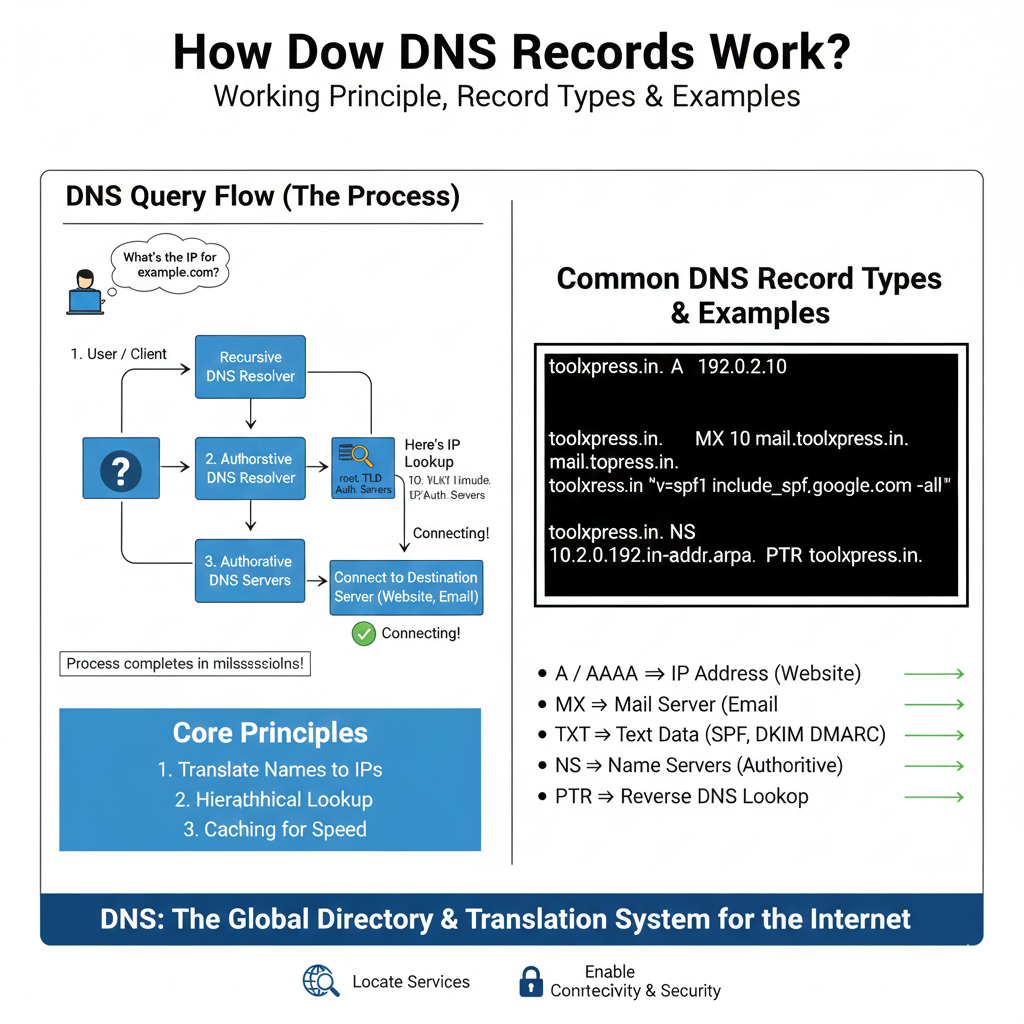
Common DNS Record Types:
- A / AAAA – Maps domain to IPv4/IPv6 address
- CNAME – Alias to another domain
- MX – Mail server routing
- TXT – Text-based records (SPF, DKIM, DMARC)
- NS – Authoritative name servers
- PTR – Reverse DNS lookup
- SRV – Service location records
Example of DNS Records
toolxpress.in.      A      192.0.2.10
toolxpress.in.      MX 10  mail.toolxpress.in.
toolxpress.in.      TXT    "v=spf1 include:_spf.google.com -all"
Pros of DNS Records
- Essential for internet connectivity
- Highly scalable and reliable
- Supports multiple services
- Improves performance via caching
- Enables advanced security configurations
- Easy to update and manage
Cons of DNS Records
- Misconfiguration can cause downtime
- DNS propagation delays after changes
- Target of DDoS and spoofing attacks
- Requires technical knowledge for management
- Incorrect TTL settings can impact performance

Best Practices for DNS Record Management
- Use appropriate TTL values
- Maintain accurate and minimal records
- Secure DNS with SPF, DKIM and DMARC
- Regularly audit DNS configurations
- Use reputable DNS hosting providers
- Implement DNS monitoring and backups
You can also check the DNS record status using mxtoolbox

