




Types of DNS Records


DNS (Domain Name System) records are instructions stored in DNS servers that control how a domain behaves on the internet. They determine where a website loads from, how emails are delivered, how services are discovered, and how security policies are enforced.

Every DNS record type has a specific role, and understanding them is essential for IT administrators, system engineers, and network professionals.
A Record (Address Record)
What it Does
An A record maps a domain name or hostname to an IPv4 address.

Why it is Needed
Computers communicate using IP addresses, not domain names. The A record tells browsers which server hosts the website.
Example
example.com. A 192.0.2.10
Explanation
example.com→ Domain name192.0.2.10→ IPv4 address of the web server
Real-World Use
When a user visits https://example.com, the browser checks the A record and connects to the server at 192.0.2.10.
AAAA Record (IPv6 Address Record)
What it Does
Maps a domain name to an IPv6 address.
Why it is Needed
IPv4 addresses are limited. IPv6 provides a much larger address space and is required for modern networks.

Example
example.com. AAAA 2001:db8:abcd::10
Explanation
- Works the same as an A record
- Uses IPv6 instead of IPv4
CNAME Record (Canonical Name Record)
What it Does
Creates an alias that points one domain name to another domain name.

Why it is Needed
Allows flexibility without duplicating IP addresses.
Example
www.example.com. CNAME example.com.
Explanation
www.example.combecomes an alias- DNS resolves
example.comA record automatically
Important Rule
A CNAME cannot coexist with other records (like A or MX) for the same name.
MX Record (Mail Exchange Record)
What it Does
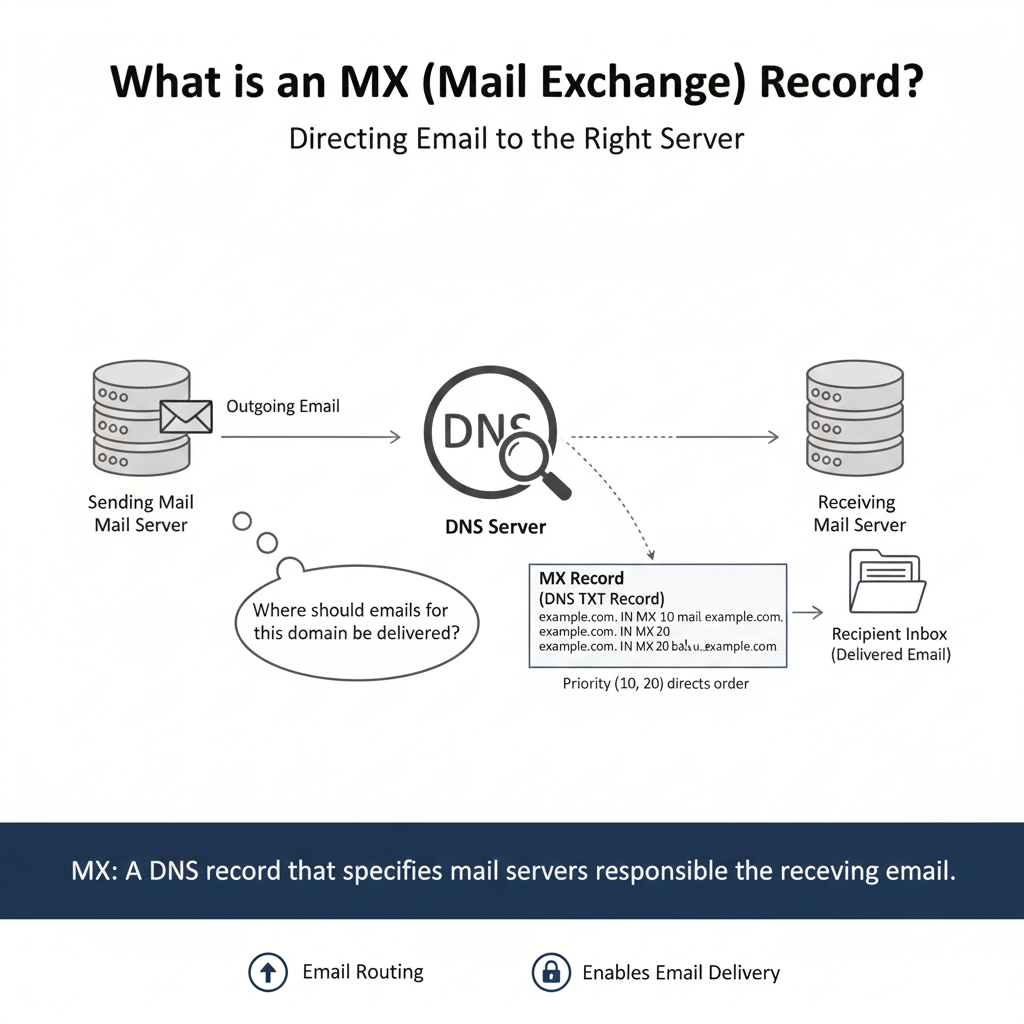
Defines which mail servers receive emails for a domain.
Why it is Needed
Without MX records, a domain cannot receive emails.
Example
example.com.    MX 10 mail1.example.com.
example.com.    MX 20 mail2.example.com.
Explanation
- Lower number = higher priority
mail1is primarymail2is backup
Real-World Scenario
If the primary server is down, emails automatically route to the backup server.
TXT Record (Text Record)
What it Does
Stores text-based information used for verification and security.

Why it is Needed
TXT records support email authentication, domain verification, and security policies.
Example
example.com. TXT "google-site-verification=abc123"
Common Uses
- SPF
- DKIM
- DMARC
- Ownership verification
NS Record (Name Server Record)
What it Does
Specifies the authoritative DNS servers for a domain.

Example
example.com.    NS    ns1.dnsprovider.com.
example.com.    NS    ns2.dnsprovider.com.
Explanation
These servers store and answer DNS queries for the domain.
PTR Record (Pointer Record)
What it Does
Maps an IP address back to a domain name (reverse DNS).

Example
10.2.0.192.in-addr.arpa. PTR mail.example.com.
Why it is Important
- Email server reputation
- Spam prevention
- Mail server trust
SRV Record (Service Record)
What it Does
Specifies service location and port numbers.
Example
_sip._tcp.example.com. SRV 10 5 5060 sipserver.example.com.

Explanation
- Priority
- Weight
- Port
- Target server
Common Uses
- Active Directory
- VoIP
- Messaging services
SOA Record (Start of Authority)
What it Does
Stores zone-level administrative information.
Example
example.com. SOA ns1.example.com. admin.example.com. (
  2025010101
  3600
  1800
  604800
  86400 )
Explanation
Controls zone refresh, retry, and expiration behavior.
CAA Record (Certificate Authority Authorization)
What it Does
Controls which Certificate Authorities can issue SSL certificates.
Example
example.com. CAA 0 issue "letsencrypt.org"
Benefit
Prevents unauthorized SSL certificate issuance.

